Registering Your Device on the Network (DHCP)
 Print
Print Email
EmailInstructions for how to register a device you wish to use on the MSU Network using DHCP.
Video Instructions
Step-by-Step Text Instructions
- If connecting to WiFi, select MSUNet3.0 for your WiFi connection.
- Go to https://dhcp.msu.edu/.
- Log in with your MSU Net ID and Password.
- Select Register a Device.
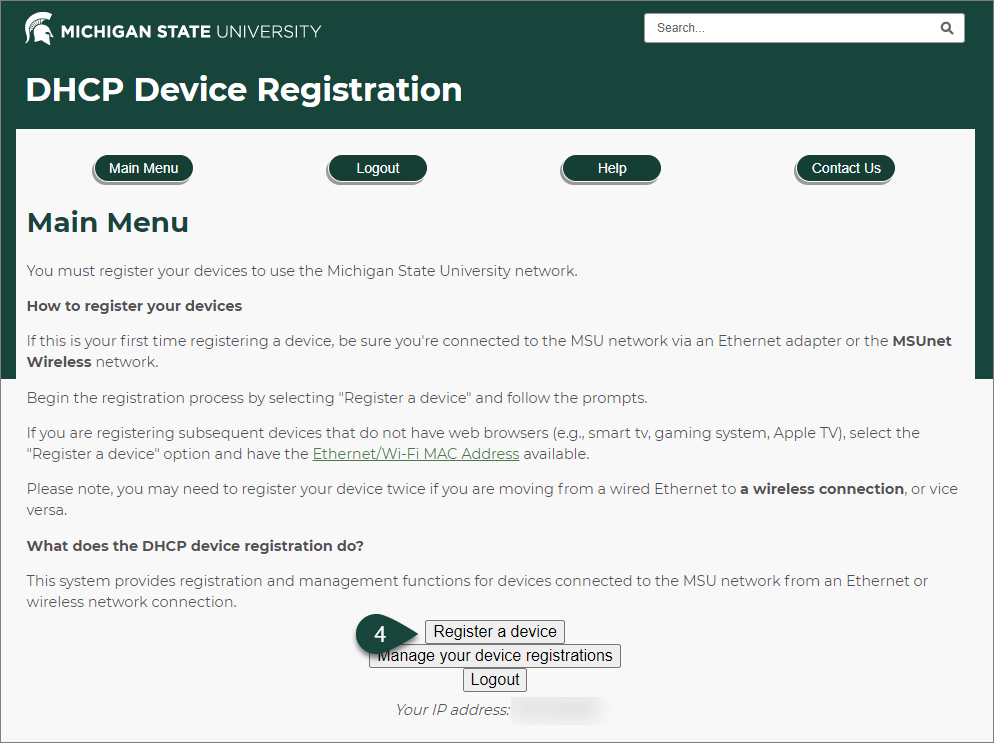
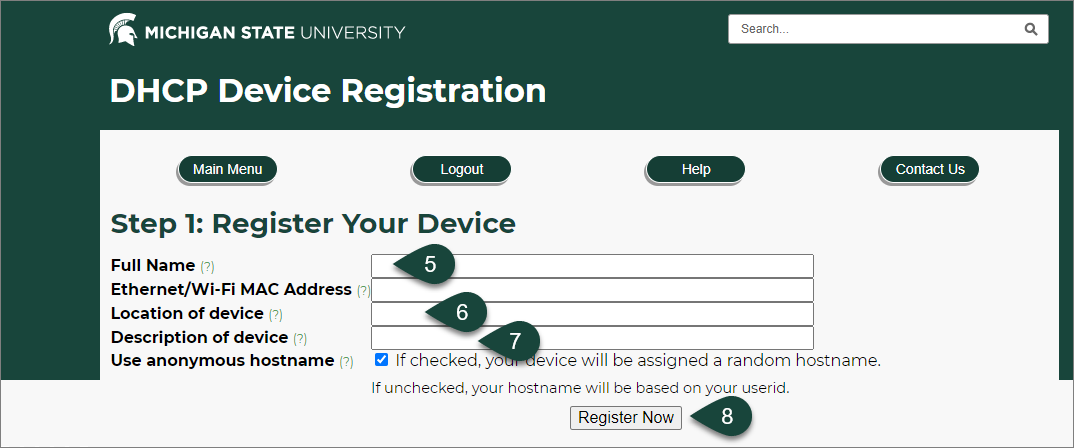
- Enter your Full Name.
- Enter the Location the Device will primarily be used in such as your office number.
- Enter a Description of the Device.
NOTE: Be as descriptive as you feel is appropriate such as "Dell Laptop" or "iPhone". - Select Register Now.
- When prompted, Restart your Computer and Verify your Connection is working when you log back in.