Setting the Default Font for Email Messages in Outlook for Mac
 Print
Print Email
EmailInstructions for setting the default font used in your email messages using Outlook for Mac.
- Open Outlook.
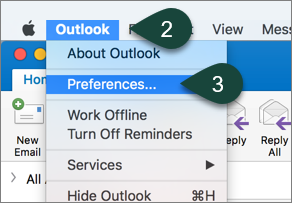
- Select Outlook from the toolbar.
- Select Preferences.
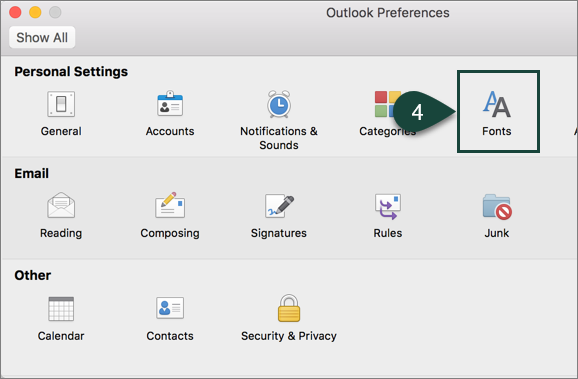
- Select Fonts.
- Select Font for new mail.
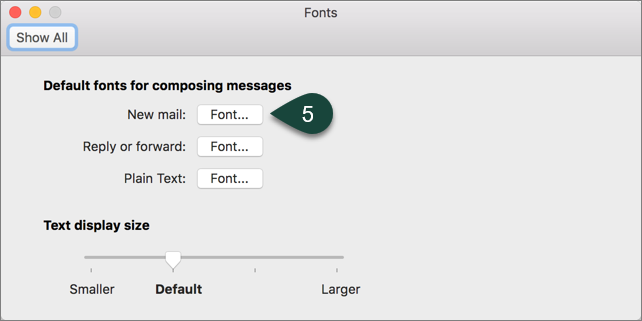
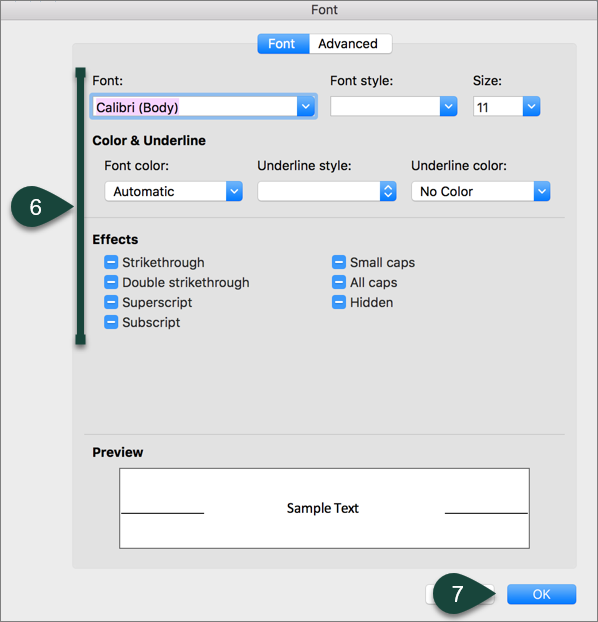
- Use the Available Settings to select your font, font size, etc.
- Select Ok.
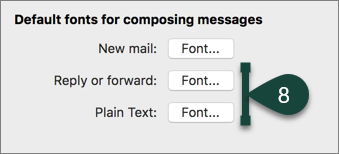
- Repeat Steps 5-7 for reply/forward and plain text options as desired.
Did you find this article useful?
You Might Also Be Interested In
-
In the Field: Jenn Phillips
Published on July 6, 2018
-
Employee Antivirus Perk
Published on September 18, 2023
-
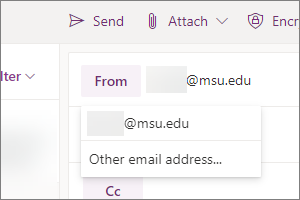
Sending from an Alternate Email Address in Spartan Mail Online (Office 365)
Published on March 31, 2021


-
Mapping a Network Drive (Mac)
Published on June 4, 2020
-
Setting the Default Calendar on Apple Devices (Office 365)
Published on April 22, 2021
-
Sending from an Alternate Email Address in Outlook
Published on March 31, 2021